The starting question
Matching revisions are a check, not release approval.
See the difference
Conflict: stop and resolve
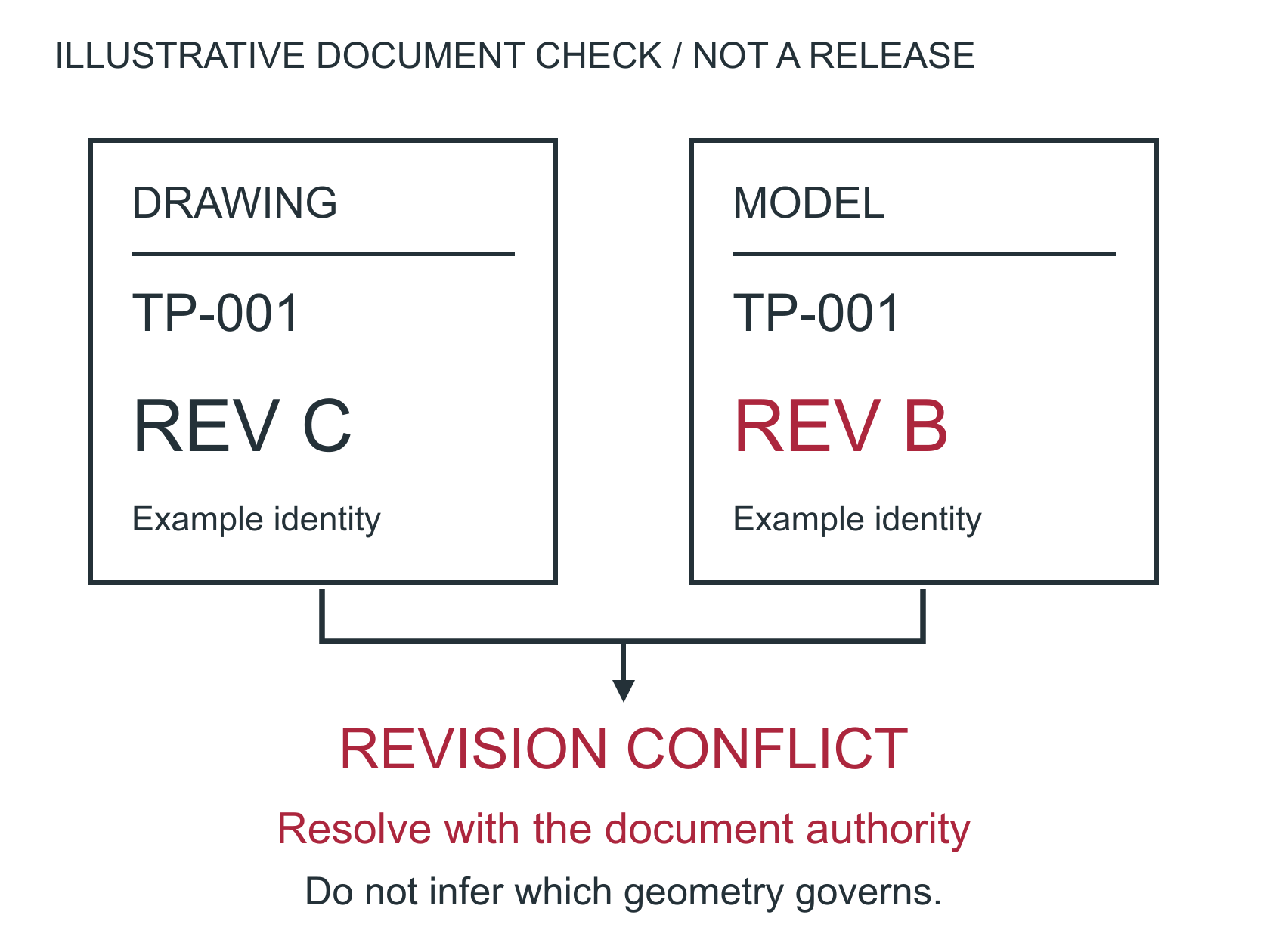
Do not choose whichever file is newer. Resolve geometry conflicts with the responsible authority.
Aligned: continue the review
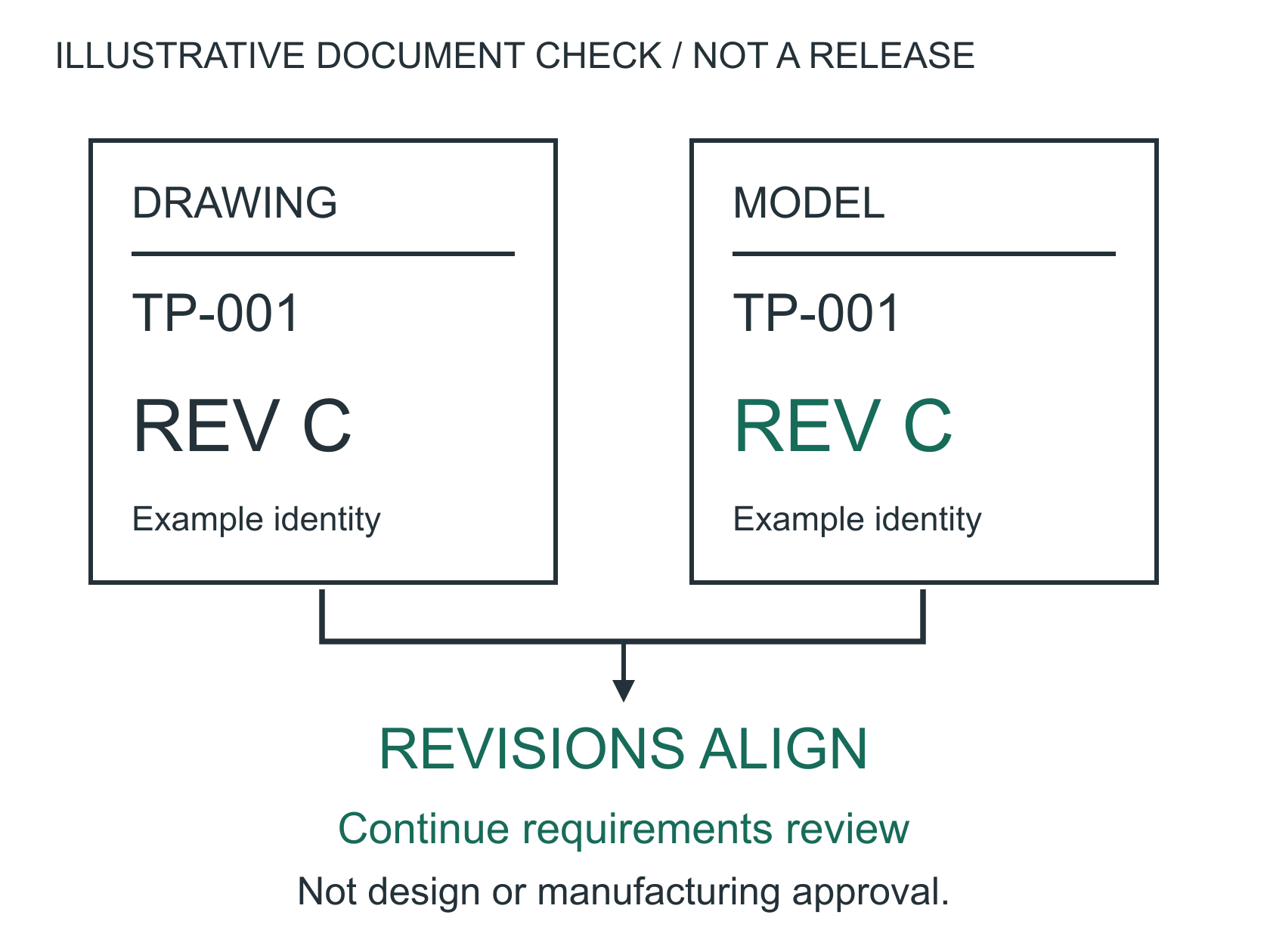
Check units, document precedence, material, special processes and inspection requirements before release.
Release gate: identity + revision + requirements + authority
Matching letters alone do not resolve conflicting geometry.A revision mismatch is a release question, not a machining decision. Confirm the authoritative model and drawing revisions before resolving geometry differences. The C/B illustration assumes that these two documents should share a revision code; it is not a customer record or a universal rule that model and drawing codes must match.
Follow the document relationship defined by the customer. Different model and drawing revision codes can be intentional if explicitly controlled.
For your own project
Which part do you need help with?
Start with what you know. Keep the undecided details open for discussion.
You bring
The current drawing or model and what the supplier needs to understand.
We can help explore
Useful views, dimensions and a clearer technical handoff.
Discuss next
Is this for a quotation, a design review or production planning?
One definition of the part
State units, part number, revision and model/drawing precedence. Resolve missing dimensions and contradictory notes before release.
Production requirements
Include quantity, material condition, special processes, inspection deliverables and packaging or cleanliness requirements. Identify approved alternatives rather than assuming the shop can substitute them.
Secure handoff
Do not put controlled drawings, models or technical data into public forms. Arrange an approved secure transfer route with the recipient before sending controlled data.
This worksheet records review questions. Checking every box does not approve manufacturability, validate a design, certify a process or replace customer engineering and quality acceptance.
Bring this to the review
Your working checklist
Use these prompts to record open questions. Checking a box does not approve a design or manufacturing process. Selections last for this page visit.
References & further reading
References support the named topic; they do not certify a design, setup or product.
Planning guidance and illustrative examples. Confirm project-specific requirements with the responsible design, manufacturing and quality teams.
No paid placement or affiliate links in this guide.