ProtoChat

Private design playground

Less reading.
More understanding.

Move a part. Spot a missing detail. Watch an assembly come together. Try a few ways to make your next design conversation easier.

Interactive example / Hands-on design

A tiny difference.
A completely different fit.

Drag the steel shaft into the housing. Change its diameter and try again.

SHAFT + HOUSINGCutaway view
GROUND SHAFTBORED HOUSING · Ø20.00 mmGrab the shaft and move it right →

Drag horizontally with a mouse or touch. Keyboard: focus the shaft and use ← / →, or use the slider below.

Choose the nominal size

19.90 mm20.10 mm
Clearance0.02 mm

Nominal geometry demonstration, not a fit specification or force simulation. The tiny diameter differences are exaggerated in the picture. Real assembly also depends on size limits, alignment, surface finish, temperature and material.

02 / Play detective

What’s missing from this sketch?

“Make this bracket 50 wide.”

Which question should we ask first?

Choose an answer to reveal the reasoning.

03 / Watch it work

See how the pieces connect.

Separate the layers to understand the order. Bring them together to see the assembly.

Illustrative stack, not an engineered fastening design.

Cover
Spacer
Base

04 / Follow the idea

From “what if” to something you can review.
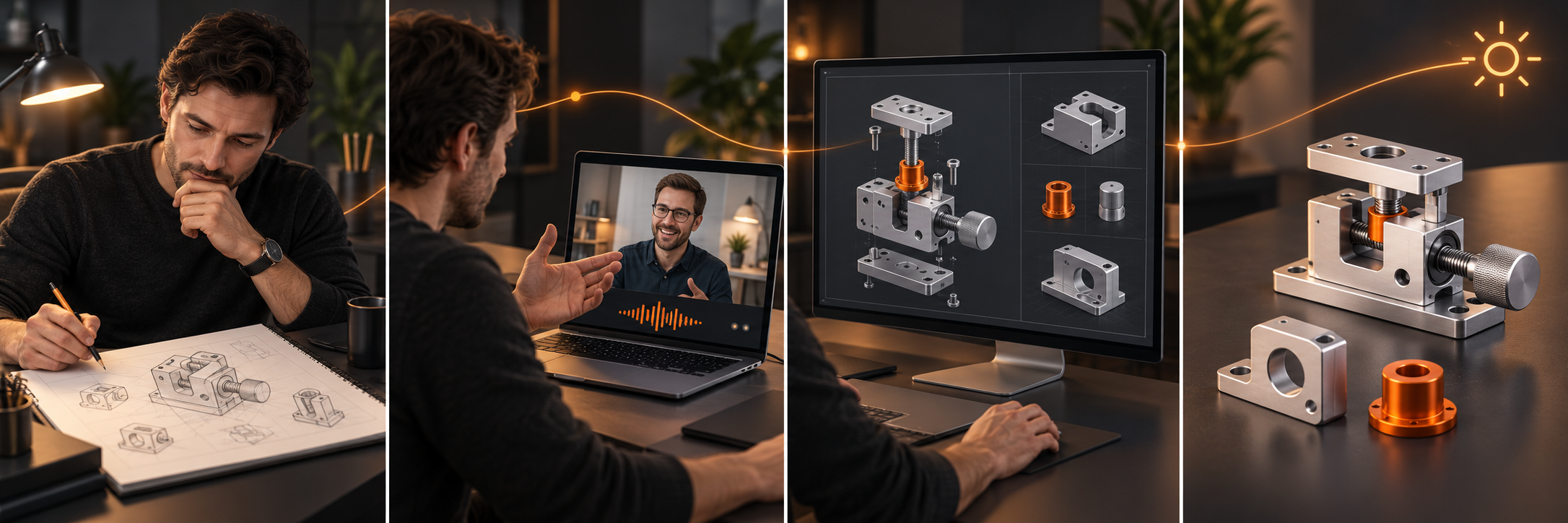
Concept illustration of a customer thinking, discussing a project, then reviewing parts and an assembly render
01 / Start anywhere

An idea, a sketch or an unfinished model.

02 / Talk it through

Explain what it needs to do and what is still unknown.

03 / Review the direction

Discuss concepts and the next design decisions.

Concept illustration. Deliverables and timing depend on the agreed project scope.

05 / Before & after

Turn a vague request into a useful starting point.

“I need a bracket.”